How to Watch MLB Replays Without Seeing the Score
If you follow baseball from the wrong time zone, the problem is not missing one game.
It is waking up to a whole board.
There may have been an afternoon game, a late West Coast finish, and one matchup you were sure you would save for later. By breakfast, standings, sports homepages, and "best moments" tiles all want to tell you the ending before you even pick a replay.
The safest rule is simple: choose the game before you open the loud parts of the baseball internet.
The spoiler-free MLB replay routine
Use this order when you missed a crowded baseball day:
- Keep sports notifications, group chats, standings pages, and baseball homepages closed until you choose.
- Turn on hide-score or spoiler settings in the apps you use when that option exists. [1]
- Open the spoiler-free MLB page on skore.info first.
- Start with a tighter run-difference filter if you want the most likely nail-biters, then widen only if the list is too thin.
- Pick the completed game you want to watch before you open MLB.TV, your broadcaster app, DVR, or replay platform.
- Check box scores, highlights, and reactions after the replay.
That order matters because baseball spoilers are not only the final line.
Baseball spoilers are bigger than the box score
A baseball result can leak long before you see 6-5 or 2-1.
The spoiler might be:
- a standings jump
- a push alert about a save or blown lead
- a highlight tile showing a dogpile or a walk-off celebration
- a preview panel that tells you who won the series
- a recap row sorted so the wildest finish practically announces itself
Baseball makes this worse because the slate is large. On a busy day, you are not choosing between one or two missed games. You are trying to choose one good replay out of a pile without learning too much from the pile itself.
Why the decision layer matters first
Most baseball products are built to answer:
- what is on now
- who won
- what it means in the standings
- which highlight everyone is talking about
Replay fans have a different question:
- which completed game is worth my time if I still want suspense
That is why the choice step should happen before the watch step.
The live MLB page on skore.info is useful here because it lets you stay inside completed games and filter them by run margin without showing the final score first.
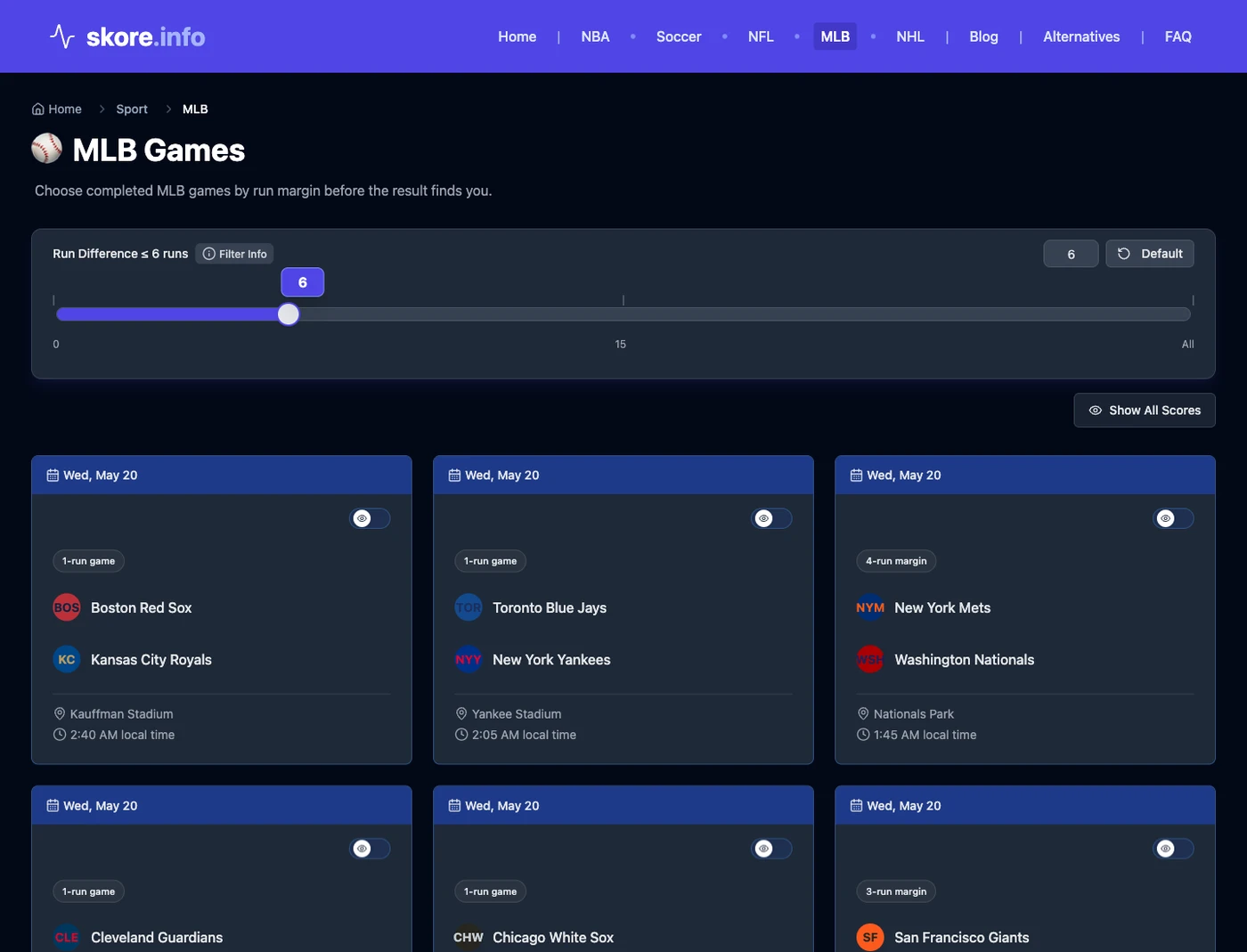
skore.info is not the place where you watch the game. It is the place where you choose the game before your broadcaster, streaming app, or replay library starts telling the story for you.
Hide-score settings help, but they do not solve the whole path
The official MLB app listing says the service includes "Hide scores with spoiler feature settings." [1] That is worth turning on.
But even a good hide-score setting only covers part of the trip. You still have to avoid noisy surfaces before the replay starts. And if you depend on MLB.TV for local-team replays, timing can matter too: PCWorld notes that local-team replays can become available on demand about 90 minutes after the game ends. [2]
So the safest routine is not just "hide the scores." It is "choose the replay in a spoiler-safe place, then go watch it on the service you already use."
How to pick faster on a crowded baseball day
If you want late-inning tension
Start tighter. A lower run-difference filter is the faster way to find games that were more likely to stay alive deeper into the night.
If you just want one worthwhile game
Broaden the range a little and choose from completed games without jumping to highlights or recaps.
If you missed your local team
Use the same workflow, then open the replay only when your own platform makes it available.
The rule to remember
For baseball replays, the hard part is usually not access.
The hard part is making the choice without the result leaking through the rest of the sports web first.
Choose the game before you browse. Then watch it on your own platform.
References
- MLB App, Apple App Store. https://apps.apple.com/us/app/mlb/id493619333?platform=tv
- Ansaldo, M. (2025, March 17). Streaming Major League Baseball games: A how-to guide. PCWorld. https://www.pcworld.com/article/3185819/streaming-services/how-to-watch-baseball-online.html
